
Screenshots

App details
- Version
- 2.13.3
- Size
- 79.85 MB
- Updated
- November 30, 2023
- Requires
- Windows 8.1
- Language
- English | Japanese
- License
- Free
- Developer
- Nicke Manarin
- Category
- Windows OS
SoftPas in:
This product is also available in the following languages:
About ScreenToGif
Download ScreenToGif – Free Screen Capture Tool for Windows, Mac, Android & iOS
ScreenToGif is a lightweight, free screen-capture tool that combines screen recording, webcam capture, and a sketchboard recorder with an integrated editor. Easily create animated GIFs or save recordings as videos. Perfect for tutorials, social media, and quick edits. Portable, secure, and regularly updated.
Why ScreenToGif Stands Out Among Free Screen Capture Tools
In the crowded market of screen recording software, ScreenToGif has carved out a unique niche by offering powerful features without the bloat. Unlike many paid tools that demand high system resources and complex workflows, ScreenToGif delivers a streamlined experience that’s both intuitive and efficient. This free software is ideal for educators, content creators, social media managers, and casual users who need to capture screen activity and turn it into engaging GIFs or videos.
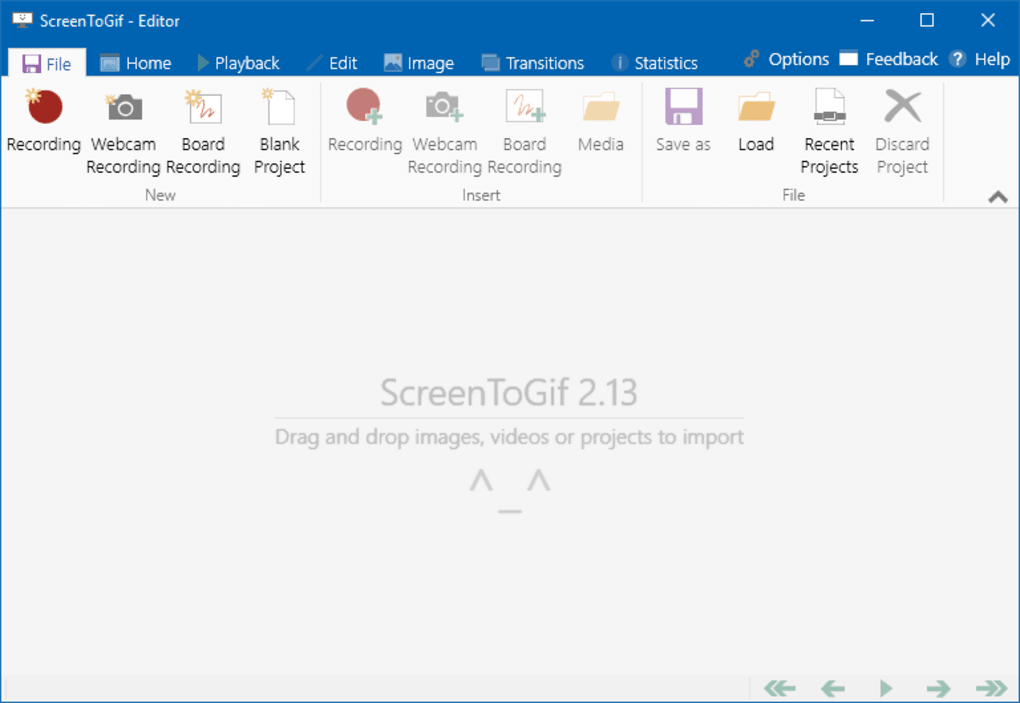
One of the key reasons ScreenToGif stands out is its ability to record not just the screen, but also your webcam and a sketchboard—perfect for creating tutorial videos with voiceover, facial expressions, and on-screen annotations. The integrated editor allows you to trim, crop, add text, draw shapes, and even apply filters directly within the app. This eliminates the need to switch between multiple tools, saving time and improving workflow efficiency.
Another major advantage is its portability. ScreenToGif doesn’t require installation—just download the portable version and run it from a USB drive or any folder. This makes it ideal for users who work across multiple devices or prefer not to clutter their system with permanent software. The tool is also regularly updated with new features, bug fixes, and performance improvements, ensuring long-term reliability and security.
For those who value privacy, ScreenToGif stores all recordings locally—no cloud uploads, no data tracking. This makes it a secure choice for recording sensitive content. Whether you're creating step-by-step guides, sharing funny moments, or demonstrating software features, ScreenToGif gives you the freedom to create high-quality content with minimal effort.
Key Features and Capabilities of ScreenToGif
- Record screen, webcam, and sketchboard simultaneously or individually
- Save recordings as animated GIFs or video files (MP4, AVI, etc.)
- Integrated editor with trimming, cropping, text overlay, and drawing tools
- Support for multiple recording modes: Full screen, region, window, and cursor-only
- Real-time preview and playback during recording
- Customizable frame rate and recording quality
- Portable version available—no installation required
- Lightweight and fast—low CPU and memory usage
- Open-source and completely free with no ads or hidden costs
- Regular updates and active community support
ScreenToGif’s feature set is impressive for a free tool. The ability to record multiple sources at once—screen, webcam, and sketchboard—makes it a versatile tool for creating dynamic content. For example, you can record your screen while showing your face via webcam and using the sketchboard to highlight important areas in real time. This is especially useful for educators and tech support professionals.
The integrated editor is where ScreenToGif truly shines. You can fine-tune your recordings by removing unwanted sections, adjusting frame rates, adding timestamps, or drawing arrows and shapes to guide viewers. The text tool allows you to add captions, and the drawing tools support various line styles and colors. These edits can be applied before exporting, ensuring your final output is polished and professional.
Performance-wise, ScreenToGif is remarkably efficient. It uses minimal system resources, so you can run it alongside other applications without lag. The recording quality is high, and you can adjust settings like frame rate and resolution to balance file size and clarity. Whether you're on a low-end laptop or a high-performance desktop, ScreenToGif adapts smoothly.
How to Install and Use ScreenToGif on Windows, Mac, Android, and iOS
Getting started with ScreenToGif is simple and fast. For Windows users, visit the official website and download the installer or the portable version. The installer adds ScreenToGif to your Start menu and creates desktop shortcuts, while the portable version runs directly from a folder—perfect for temporary use or shared devices.
For Mac users, ScreenToGif is available via the official GitHub repository. Although it’s not officially packaged for macOS, the app runs smoothly using the open-source build. Users may need to enable execution permissions in System Settings if prompted. The interface remains consistent with the Windows version, ensuring a familiar experience.
Android and iOS users can access ScreenToGif through third-party app stores or sideloading, though official support is limited. For mobile users, the app is best used for quick captures and sharing, though advanced editing is recommended on desktop.
To begin recording, launch the app and choose your recording mode: full screen, a specific region, a window, or just the cursor. You can also enable webcam and sketchboard recording. Once configured, click “Record” and start your session. During recording, you can pause, stop, or use hotkeys for quick control. After recording, the integrated editor opens automatically, where you can trim clips, add annotations, and adjust playback speed.
Export your final project as a GIF or video with customizable settings. The app supports high-quality exports and offers options to optimize file size. For frequent users, you can save templates and keyboard shortcuts to speed up workflows.
Compatibility, Performance, and Security
ScreenToGif is compatible with Windows 7 and later, including Windows 10 and 11. The Mac version runs on macOS 10.14 and above, though users should ensure their system meets the minimum requirements. While there’s no official Android or iOS app, the desktop version remains the most powerful option for serious content creators.
Performance is one of ScreenToGif’s strengths. It runs efficiently on older hardware, thanks to its lightweight architecture. Even on systems with limited RAM or older CPUs, you can record 1080p video at 30 FPS without stuttering. The app uses minimal CPU and memory, making it ideal for multitasking.
Security is a top priority. ScreenToGif is open-source, meaning its code is publicly available for review. This transparency ensures there are no hidden trackers, malware, or data collection. All recordings are saved locally—your privacy is protected. The tool is also regularly updated to patch vulnerabilities and improve stability.
For users concerned about file size, ScreenToGif offers compression options. You can reduce GIF size by lowering frame rate, reducing colors, or trimming unnecessary frames. These tools help you create shareable content without sacrificing quality.
Pros and Cons of Using ScreenToGif
Pros
- Completely free and open-source with no ads
- Portable version available—no installation needed
- Lightweight and fast, low system resource usage
- Integrated editor with powerful editing tools
- Supports multiple recording sources: screen, webcam, sketchboard
- Regular updates and active developer community
- Secure and private—no data tracking or cloud storage
- High-quality output in GIF and video formats
Cons
- No official Android or iOS app (limited mobile support)
- Advanced features can be overwhelming for beginners
- GIFs can become large if not optimized properly
- Limited video format support compared to professional tools
- Interface is functional but not as modern as some competitors
Frequently Asked Questions (FAQ)
Final Verdict: Is ScreenToGif Worth Downloading?
If you’re looking for a reliable, free, and secure screen-capture tool that delivers professional results, ScreenToGif is an excellent choice. Whether you’re creating tutorials, sharing software demos, or making fun GIFs for social media, this app provides everything you need in one lightweight package. Its combination of screen, webcam, and sketchboard recording—plus a built-in editor—makes it far more versatile than most free alternatives.
Despite minor limitations on mobile platforms and a slightly dated interface, ScreenToGif’s strengths far outweigh its weaknesses. The open-source nature ensures transparency, while regular updates keep it secure and functional. For users who value privacy, performance, and flexibility, ScreenToGif is a must-have tool.
Don’t miss out on this powerful software. Download ScreenToGif today and start creating stunning content with ease.
Guides & Tutorials
How to install ScreenToGif
- Click the Download button above.
- Once redirected, accept the terms and click Install.
- Wait for the ScreenToGif download to finish on your device.
How to use ScreenToGif
This software is primarily used for its core features described above. Open the app after installation to explore its capabilities.
User Reviews
No reviews yet. Be the first to share your experience.
You may also like
more
Llama 2
Free-to-use large language model As the new addition to Meta’s arsenal of langua...

NotebookLM
Revolutionizing the note-taking and idea-generation process NotebookLM is an exp...

Github co pilot
AI-inspired software development and coding platform GitHub Copilot is a browser...

Google Gemma
Google’s lightweight AI models Introducing Google Gemma , a family of cutting-ed...

AI Image Enlarger
A free app for Windows, by ai-image-larger. AI Image Enlarger is a free software...

DALL E
AI-driven text-to-image transformation engine DALL·E is a free graphic and desig...